
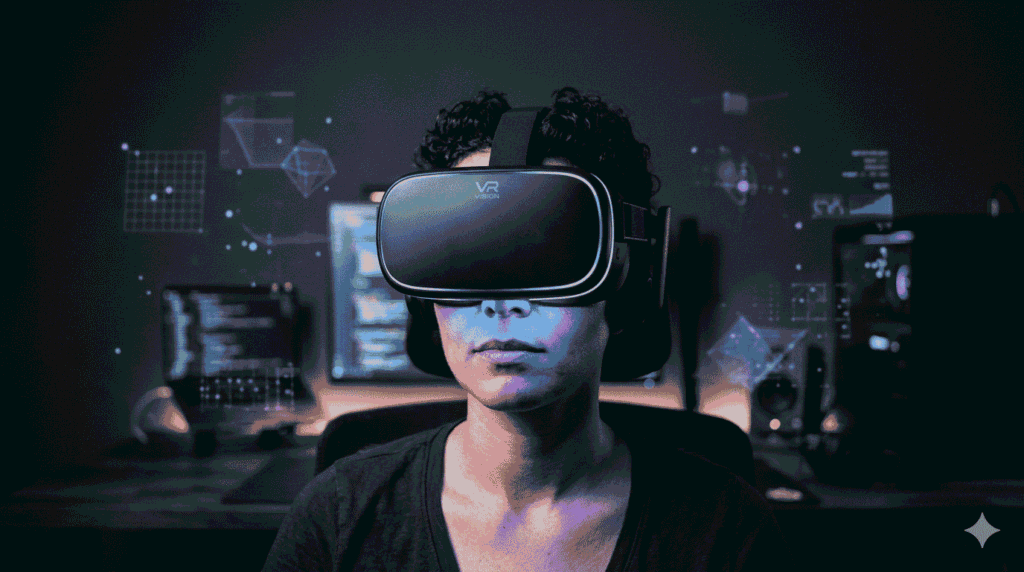
| ✓ A VR headset Technology works by showing each eye a different high-resolution image, tracking head movement in real time, and updating the display faster than your brain can detect the lag. |
| ✓ The global VR market was valued at $67.66 billion in 2025 (HQSoftware, 2026). Headsets now range from $299 to $3,499. |
| ✓ Pancake lenses have replaced Fresnel lenses in premium headsets — lighter, thinner, far more comfortable for long sessions. |
| ✓ Refresh rate matters as much as resolution. Below 90Hz, motion blur is visible. At 120Hz, movement feels genuinely natural. |
| ✓ Six degrees of freedom (6DoF) tracking is the minimum for meaningful VR immersion. Inside-out systems mean no external sensors needed. |
Most people spend a week reading reviews before buying a VR headset and still walk away confused — not because the information is hard to find, but because most of it explains what the specs are, not what they mean. Resolution numbers. Refresh rates. Field of view angles. Nobody gives them context that actually helps you decide.
This guide does. From the display physics to the tracking algorithms to the lens designs reshaping the category in 2026, here is what a VR headset is actually doing — and why each component matters to you as a buyer, user, or developer.
The global VR market sat at $67.66 billion in 2025. Every dollar of that market runs on the technology inside these devices. Understanding what that technology actually is makes you a far sharper evaluator of what the industry is selling you.
What Is a VR Headset? The Simple Answer, Then the Detail
A VR headset is a wearable display system that creates the illusion of physical presence in a computer-generated environment. That is the simple answer.
The detail: to pull that off, the system has to show each eye a slightly different image to simulate natural depth perception, track your head movement in real time, and update the display fast enough that the delay between movement and image change is invisible to your brain. That delay is called motion-to-photon latency. At 20 milliseconds or above, your brain starts noticing. Below 15 milliseconds, most users cannot detect it at all.
When any of these three elements breaks down, motion sickness follows. Your visual system receives movement signals that do not match what your inner ear senses. The brain’s response is predictable: it assumes something is wrong. High-quality VR headset technology exists specifically to prevent that mismatch.
This three-part requirement — matched binocular images, real-time tracking, sub-20ms latency — is why even small improvements in any one area produce noticeably better experiences. It also explains why the cheapest headsets feel so different from the best ones: they fail on one or more of the three fundamentals.
The critical trio: matched binocular images + real-time tracking + sub-20ms latency. All three must work together. If one fails, the experience fails.
How Do VR Headset Displays Work? Resolution vs Refresh Rate
Two numbers define more of your visual experience than any other spec: pixels per eye and refresh rate. Most reviews focus on the first and drastically understate the second.
Resolution determines visual clarity. The HTC Vive Pro 2 delivers 2,448 × 2,448 pixels per eye — one of the highest in the consumer category. The Meta Quest 3 sits at 2,064 × 2,208 per eye, a significant jump from the original Oculus Rift at 1,080 × 1,200. If you have used both generations, the difference is immediately obvious. The screen door effect — that visible pixel grid haunting early VR — disappears above roughly 1,800 × 1,800 per eye.
VR Headset Spec Comparison Table (2025–2026)
| Headset | Type | Resolution (per eye) | Refresh Rate | Price (2026) | Best For |
| Meta Quest 3 | Standalone / Hybrid | 2,064 × 2,208 | Up to 120Hz | $499 | General consumers |
| Meta Quest 3S | Standalone | 1,832 × 1,920 | Up to 120Hz | $299 | Budget / first-time buyers |
| PlayStation VR2 | Console-tethered | 2,000 × 2,040 | Up to 120Hz | $549 | PS5 gaming |
| Apple Vision Pro | Standalone | 3,660 × 3,200 | Up to 100Hz | $3,499 | Pro / spatial computing |
| Valve Index | PC-tethered | 1,440 × 1,600 | Up to 144Hz | $999 | PC enthusiasts |
| HTC Vive Pro 2 | PC-tethered | 2,448 × 2,448 | Up to 120Hz | $1,399 | Professionals |
| Pico 4 Enterprise | Standalone | 2,160 × 2,160 | Up to 90Hz | $699 | Enterprise training |
Refresh rate is the spec that changes how VR feels. At 60Hz, motion blur is obvious and sessions are short. At 90Hz, movement begins to feel natural. At 120Hz and above, the jump crosses into something that genuinely fools the brain. The Meta Quest 3 supports 120Hz. The Valve Index pushes to 144Hz for users running high-end gaming PCs. Those numbers are not marketing — they are the boundary line between comfortable extended use and headsets that cause headaches after 30 minutes.

Micro-OLED and micro-LED displays are replacing LCD panels in premium devices. They deliver higher pixel density, true blacks, and wider colour range. Apple Vision Pro uses micro-OLED at 3,660 × 3,200 per eye. The visual gap between it and any other consumer device is real and immediately apparent. But so is the $3,499 price tag — most users will not need that level of display quality for gaming or general content.
For the majority of buyers choosing between $299 and $549 devices, display quality is no longer the differentiating factor it was in 2020. The gap has narrowed dramatically. Where you will still feel the difference is in sustained text readability and fine-detail visual content — productivity and professional applications rather than gaming.
VR Lens Design: Why Pancake Lenses Changed Everything
Lenses are the component most buyers overlook. They shape your physical comfort over a two-hour session more than almost anything else in the spec sheet — and they are the reason modern headsets feel so different from their predecessors.
The older standard was Fresnel lenses: concentric ring-shaped optics that worked, but created visible light artifacts in bright scenes, required the display to sit several inches from your eyes, and pushed the headset’s centre of mass noticeably forward. After 90 minutes, that forward weight causes real neck strain. This is why so many early VR adopters described sessions as ‘tiring’ regardless of the content.
Pancake lenses fold the light path multiple times through a compact stack before it reaches your eye. The result is a thinner optical module, a display that sits closer to your face, and a noticeably better front-to-back weight balance. The Meta Quest 3 uses pancake lenses. The difference in comfort over a long session is immediate and meaningful for anyone who spent time with earlier devices.
“Latency is the most important number in VR. Get it below 20 milliseconds and the brain accepts the virtual world. Above it, the experience starts feeling wrong in a way users cannot always name but immediately feel.” — John Carmack | VR Pioneer | Former CTO, Meta Reality Labs
Varifocal displays adjust focal distance dynamically based on where your eyes are pointing, solving the vergence-accommodation conflict that causes eye strain in long sessions. This technology is in high-end research hardware now. Commercial versions are 12 to 18 months from a mainstream release as of 2026. The future of VR hardware is being shaped by exactly this kind of optical breakthrough — displays that adapt to the user rather than requiring the user to adapt to them.
How Does VR Tracking Work? Inside-Out vs Outside-In
Motion tracking is what makes VR feel real rather than just look real. The difference between watching a 360-degree video and inhabiting a virtual world is whether the environment responds to you moving through it.
Modern VR headsets use inside-out tracking. Multiple cameras on the headset exterior scan the room. Computer vision algorithms calculate your position in space 60 or more times per second. No external sensors. No room configuration. The headset figures out exactly where it is — in real time — from a cold start every session. This is a fundamental shift from the first generation of consumer VR, which required precise placement of external base stations and a dedicated setup space.
The difference between 3DoF and 6DoF is the single most important distinction in consumer VR. Three degrees of freedom tracks rotation only: you can look around, but you cannot lean forward or step sideways. Six degrees of freedom tracks full positional movement in every direction. For any meaningful VR experience beyond passive 360-degree video, 6DoF is the minimum.
3DoF vs 6DoF Tracking: What Each Actually Tracks
| Tracking Type | Head Rotation | Head Position | Controller Position | Typical Headsets | Best Use Case |
| 3DoF (basic) | Yes (all axes) | No | No (or limited) | Budget mobile headsets | 360° video, passive content |
| 6DoF (standard) | Yes (all axes) | Yes (full room-scale) | Yes | Meta Quest 3, PSVR2, Valve Index | Gaming, training, productivity |
Hand tracking without controllers is advancing fast. The Meta Quest 3 tracks bare-hand gestures reliably in most lighting conditions. The Valve Index controllers track individual finger movements with millimetre precision. That input fidelity transforms the experience from pointing at virtual objects to physically reaching out and interacting with them — a meaningful difference for training simulations and creative applications.

Inside-out 6DoF tracking is the current consumer standard — no external sensors needed. Valve Index offers the highest-fidelity controller input for enthusiasts. Hand tracking without controllers is available on Quest 3 and advancing rapidly.
Standalone vs PC-Tethered VR Devices: Which One Do You Actually Need?
The biggest practical question when choosing a VR headset is not about display specs. It is whether you need a cable — and what you lose or gain depending on your answer.
Standalone VR devices like the Meta Quest 3 and Pico 4 contain all the processing power inside the headset. No gaming PC required. Battery life typically runs 2 to 3 hours on the Quest 3. The Snapdragon XR2 Gen 2 chip handles mixed-reality passthrough alongside full 3D environments without compromise for everyday use.
PC-tethered headsets like the Valve Index connect to a desktop GPU for significantly more processing power. The full SteamVR library — thousands of titles — becomes available. Visual fidelity in demanding applications is noticeably higher. The trade-off is the cable, the setup requirement, and the cost of the gaming PC itself. For many users, that trade-off is not worth the friction.
The practical middle ground that has defined the 2024–2026 market: standalone headsets with PC streaming. The Quest 3 connects via USB-C or Air Link wireless streaming and operates as a full PC headset on demand. Standalone convenience for casual use. Gaming PC power when you need it. That flexibility is why Quest 3 became the default recommendation for most buyers in 2025 and has remained so into 2026.
Eye Tracking and Foveated Rendering: The Rendering Breakthrough
Eye tracking monitors exactly where your pupils point at any moment. Foveated rendering then applies maximum detail only to that precise region, reducing quality in your peripheral vision where you cannot distinguish it anyway. The computational saving is substantial — sometimes 30 to 50 percent of rendering workload.
Sony’s PlayStation VR2 includes eye tracking as standard. Meta Quest Pro includes it. When eye tracking pairs with a capable chipset, you get cleaner images with fewer frame drops in demanding scenes. The connection between AI systems and VR rendering — covered in our guide on how AI and VR are converging — is pushing foveated rendering further than hardware improvements alone could achieve. AI-driven upscaling now supplements hardware foveated rendering on several platforms.
For developers and enterprise buyers, eye tracking data also provides a layer of interaction input that controllers cannot match. Knowing precisely where a user’s attention lands within a virtual environment is commercially and clinically valuable in ways that are only beginning to be fully explored.
Is a VR Headset Safe? Motion Sickness, Eye Health, and Children
Motion sickness affects an estimated 25 to 40 percent of first-time VR users to some degree, according to published motion comfort research. Higher refresh rates and lower latency address this directly. Most users adapt with repeated exposure over several sessions. For the subset that does not, VR comfort remains limited regardless of headset quality — a real constraint for mandatory enterprise deployments.
Eye safety for adults is well-documented as low risk with normal use. Manufacturer recommendations consistently advise 30-minute break intervals for extended sessions. Meta recommends against headset use for children under 10. Understanding augmented reality alongside VR helps clarify which display technologies apply in mixed-reality passthrough modes — relevant because passthrough AR on Quest 3 uses the same display hardware as full VR.
FREQUENTLY ASKED QUESTIONS
Q1. What is the difference between VR headsets and VR goggles?
Both terms describe the same category of device. ‘VR goggles’ is informal usage, while ‘VR headset’ implies a complete system with integrated audio, computing, and tracking. In practice the terms are interchangeable, though technical documentation and manufacturer specs consistently use ‘headset.’
Q2. What resolution eliminates the screen door effect in VR?
Above approximately 1,800 × 1,800 pixels per eye, the visible pixel grid disappears for most users. The Meta Quest 3 at 2,064 × 2,208 per eye clears this threshold comfortably. Any major consumer headset shipping in 2024 or later should meet this minimum.
Q3. Do VR devices work with glasses?
Most modern headsets include adjustable IPD settings and clearance for standard glasses frames. The Meta Quest 3 fits most common frames. Third-party prescription lens inserts are available for major platforms at $30 to $80, providing a cleaner and more comfortable experience than wearing glasses inside the headset.
Q4. What is 6DoF and why does it matter?
Six degrees of freedom tracks both rotational and positional movement. You can lean, crouch, and step sideways, and the virtual world responds. Three degrees of freedom tracks rotation only. For any experience beyond passive 360-degree video, 6DoF is the minimum requirement for genuine immersion.
Q5. How long does a standalone VR headset battery last?
Typically 2 to 3 hours on a single charge. The Meta Quest 3 averages around 2.2 hours of active use. External battery packs that clip to the rear strap extend sessions to 4 to 5 hours and also improve the headset’s weight distribution. PC-tethered headsets draw power through the cable and have no battery constraint.
Pingback: VR Arcades Around the World: Ultimate 2026 Guide