
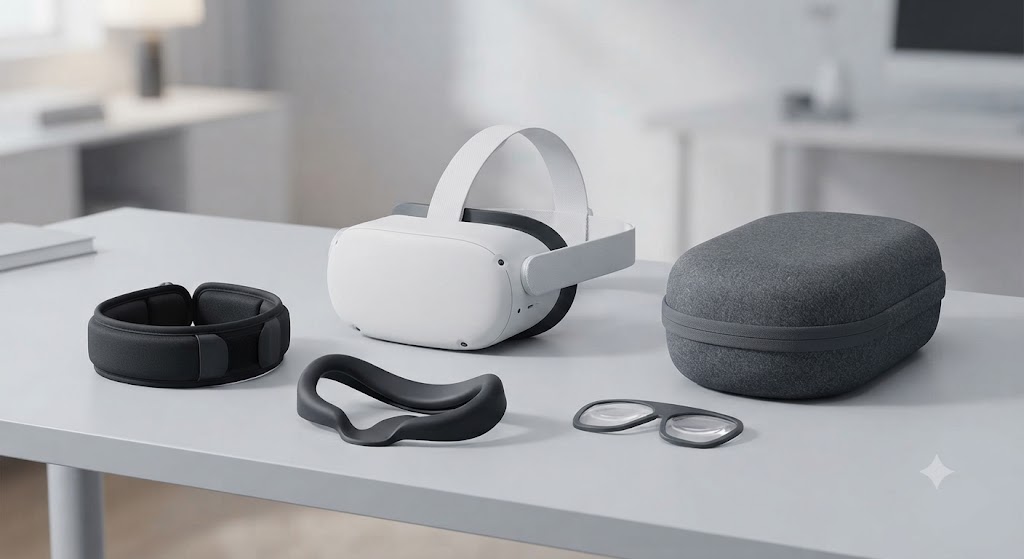
Twenty minutes into your first long VR session, you’ll probably feel it: a hot line pressed across your forehead, or a headset that’s started sliding slightly forward. That’s usually the exact moment people start searching for accessories, and it’s also where most VR accessory guides go wrong. They list forty products. You need about three.
This one only covers what’s actually earned a place in that short list, and why, with the reviews and real-world use to back it up.
The Two Nobody Regrets
Ask around in any VR forum long enough and the same two upgrades keep coming up: a better strap, and a hygiene cover. Everything else splits opinion. These two don’t.
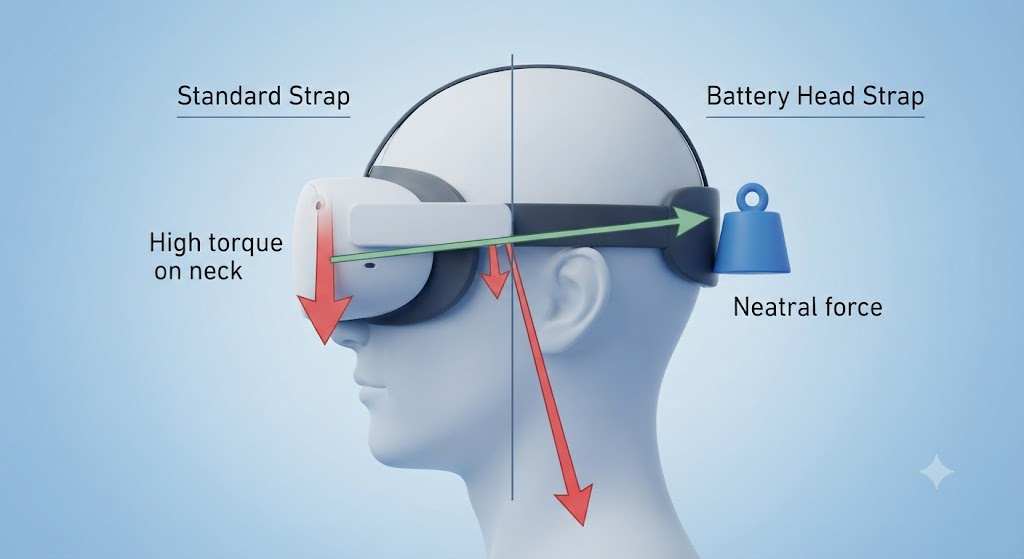
The strap complaint is close to universal. Engadget’s 2026 accessories roundup puts it bluntly: the stock straps on most headsets, Quest included, “aren’t that great,” which is precisely why so many owners swap theirs out within the first month. The KIWI Design K4 comes up as a favorite for a reason that isn’t obvious until you think about it, the extra battery it carries sits at the back of your head, acting as counterweight, so a strap that adds weight somehow ends up reducing strain instead of adding to it. Meta makes an official version too. RoadToVR tested the Elite Strap and Elite Battery Strap and called it the best strap design Meta had built at that point, though they noted the way it clips onto the headset feels a little fragile the first few times you attach it.
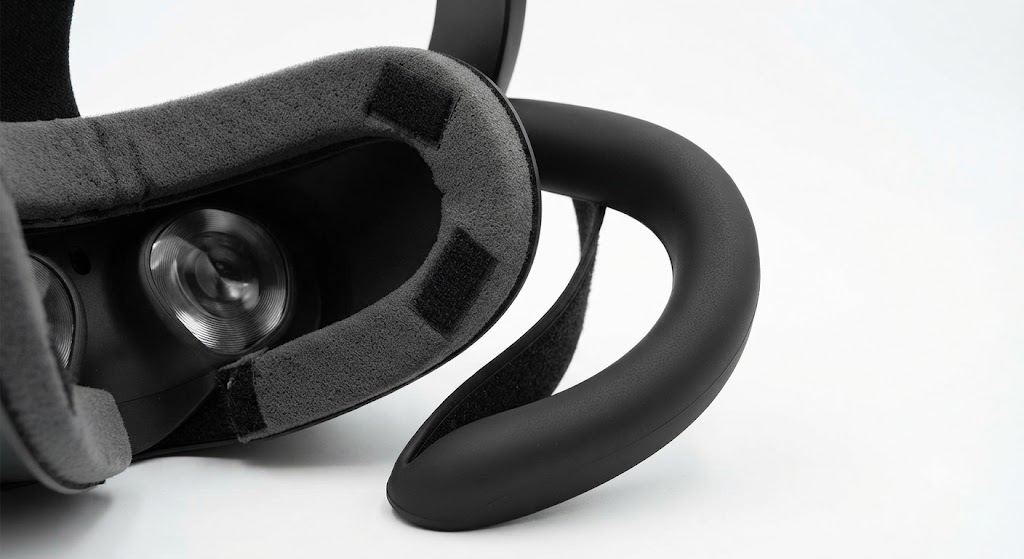
The hygiene cover pick isn’t about comfort at all, it’s about a problem that’s been around since the very first consumer VR headsets. According to Tom’s Hardware, the accessory brand VR Cover exists specifically because the original Oculus Rift development kit shipped with foam padding that soaked up sweat and had no way to be cleaned. That single unsolved problem created an entire product category that’s still growing a decade later.
If your headset only ever touches your own face, this one is optional. If it gets shared, even occasionally, it stops being optional.
The Science Nobody Mentions: Why Rear Weight Actually Helps
Here’s the part most accessory roundups skip entirely, and it’s worth understanding because it explains why a heavier strap can feel lighter. Researchers publishing in the journal Applied Sciences measured exactly this, tracking the physical load headsets place on the neck, and found that adding weight to the rear of a headset shifts its center of mass back toward the middle of the head, which measurably reduces the torque your neck muscles have to fight against. Their study on HMD weight and balance also found the effect was more pronounced for participants with less neck muscle mass, meaning the people most bothered by a front-heavy headset are often the ones who benefit most from a rear-weighted strap.
This isn’t a fringe finding either. A separate study published via ScienceDirect on cervical spine joint torque reached a similar conclusion using headset mass and center-of-mass position as its core variables, recommending that both display mass and how far forward that mass sits should be minimized by design, exactly the problem a rear-mounted battery pack is solving after the fact. So when a $60 strap with a battery in the back claims it “balances” the headset, that’s not marketing language, it’s describing a documented biomechanical effect.
None of this means the most expensive strap wins by default. It means the design principle, weight toward the back, not just less weight overall, is the one actually worth shopping for.
When Sharing a Headset Actually Matters
It’s easy to assume hygiene covers are a nice-to-have until you see how seriously people who share headsets professionally treat it. Make Real, a UK VR development studio that puts strangers into headsets all day at expos and client demos, publishes their own internal hygiene procedure. Not as a marketing gesture, as a stated policy against passing infections between users. They rotate disposable covers and swap facial interfaces between every single person.
Most households aren’t running a demo booth. But the logic scales down fine: two people, one headset, means the same problem at a smaller size. Commercial operators see the extreme version of this. A VR arcade equipment buying guide from JAMMA Amusement Technology puts it plainly, noting that after fifteen years in the business, they’ve watched venue owners forced to replace entire fleets of headsets because sweat-soaked face foam couldn’t be cleaned and eventually ruined the hardware underneath it. That’s the hygiene problem at its most expensive, and it started as exactly the same issue a household headset has, just multiplied by a hundred users a week.
Fitness adds its own wrinkle. VR game developer Skarred Ghost tested a facial interface built with air channels specifically to fight fogging during workouts, and reported it noticeably cut down on lens fog compared to the stock foam, with one minor tradeoff, a bit of light leaking in near the nose. Small price for lenses you can actually see through mid-workout.
The One I’d Skip, At First (Mostly)
Lens protectors and carrying cases get recommended constantly, and I used to file them under “nice to have, not essential.” Then I looked at what an actual repair shop charges for the damage they prevent, and that changed my mind a little.
Fix My Oculus, a repair business that started life as a VR arcade in Rogers, Arkansas before pivoting to hardware repair once customers kept showing up with broken headsets, publishes its own pricing openly: Quest 2 repairs typically run $35 to $99, and Quest 3 or 3S repairs run $80 to $240, with controller repairs starting around $36. A cracked lens or a damaged port sits well within that range. Set that against a $10 lens protector or a $40 hard case, and the math stops looking optional.
So the honest version of this advice isn’t “skip it.” It’s “skip it only if you genuinely never move the headset.” If it lives permanently on a shelf in one room, the risk these accessories cover barely exists. If it goes in a bag, gets tossed on a couch, or travels with you even occasionally, that $10 to $60 is cheap insurance against a repair bill that starts at triple the cost and climbs from there.
What About Controllers and PC Gear?
Two categories deserve a quick note here even though they’re really their own topic. Controller grips add texture and a wrist strap so a sweaty hand doesn’t send a controller flying mid-swing, worth it for fitness and fast-paced games, skippable for anything seated. If your actual question is about the controllers themselves rather than grips for them, that’s covered separately in our full VR controller comparison.
PC VR owners have their own short list: a solid link cable if you’re running a standalone headset in PC-linked mode, since a cheap generic cable is a common source of connection drops, and base station mounts if your setup uses Lighthouse tracking. Neither applies if you’re running a fully standalone headset with no PC involved.
Quick Reference: Everything, Sorted
| Category | Solves | Worth it for | Typical price |
| Comfort or battery strap | Face pressure, short battery | Nearly everyone | $30-$100 |
| Facial interface or hygiene cover | Sweat, shared use | Households, fitness | $15-$40 |
| Lens protector | Scratches, dust | Frequent travelers | $10-$20 |
| Carrying case | Storage, transport damage | Same as above | $25-$60 |
| Controller grips | Drops during active play | Fitness, fast-paced games | $10-$25 |
| PC link cable | Wired PC connection | PC VR / PC-linked mode | $50-$90 |
If you haven’t picked a headset yet, this whole conversation is premature, start with our VR headset buying guide first.
So What Should You Actually Spend?
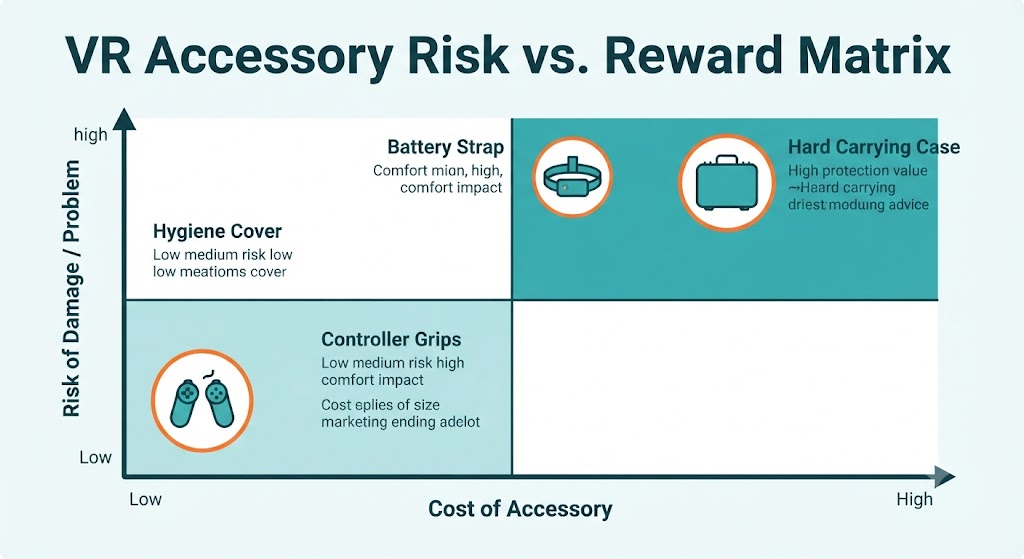
Somewhere between $50 and $80 covers what genuinely matters for a first-time buyer, a comfort or battery strap plus a basic hygiene cover. Tack on $15 to $20 more if travel is part of the picture. Past that point you’re paying for convenience you haven’t confirmed you need yet, which is exactly why waiting a few weeks before buying anything is the best advice in this entire guide, not a throwaway line.
A few ways people waste that budget anyway: buying a strap before confirming it fits their exact headset model, since these are rarely cross-compatible even within the same brand’s lineup, or skipping the hygiene cover entirely on a shared device because it feels like an easy corner to cut. It isn’t, as the Make Real example above makes fairly clear.
Quick Answers
Should I buy accessories on day one?
Wait a few weeks. You’ll know your actual problem instead of guessing at one.
Do Quest 2 accessories fit a Quest 3?
Almost never. Even same-brand products are usually molded per model.
Will accessories void my warranty?
Generally no for straps, covers, and cases, since none of them modify the headset internally. Worth a quick check with your specific manufacturer if you’re unsure.
Do accessories affect performance?
No. Resolution, tracking, and refresh rate are hardware specs. An accessory changes comfort and convenience, nothing about how the headset actually performs.
Are third-party brands safe?
The reviewed ones in this guide, yes. Unbranded, unreviewed products are the ones to be cautious with, especially anything involving a battery.